'%3e%3cpath%20id='&%23232;&%23129;&%23148;&%23229;&%23144;&%23136;%201'%20d='M42.3535%2036V0H54V36H42.3535ZM25.86%2036C25.7847%2035.9993%2025.7128%2035.9689%2025.6598%2035.9154C25.6069%2035.8618%2025.5773%2035.7895%2025.5775%2035.7142V16.688C25.4952%2016.8247%2025.456%2016.8822%2025.42%2016.9487C22.156%2023.0025%2018.9417%2029.1173%2015.1427%2036H0C0%2036%2021.1467%200%2021.3585%200L35.5915%200.00575C36.2649%200.00938759%2036.9093%200.280274%2037.3831%200.758865C37.8569%201.23746%2038.1212%201.88458%2038.118%202.558V35.7142C38.1182%2035.7515%2038.1111%2035.7885%2038.0971%2035.8231C38.083%2035.8576%2038.0623%2035.889%2038.0361%2035.9156C38.0098%2035.9421%2037.9787%2035.9632%2037.9443%2035.9777C37.9099%2035.9922%2037.873%2035.9998%2037.8358%2036H25.86Z'%20fill='url(%23paint0_linear_212_448)'/%3e%3c/g%3e%3cdefs%3e%3clinearGradient%20id='paint0_linear_212_448'%20x1='27'%20y1='0'%20x2='27'%20y2='36'%20gradientUnits='userSpaceOnUse'%3e%3cstop%20stop-color='%230469FF'/%3e%3cstop%20offset='1'%20stop-color='%236004A9'/%3e%3c/linearGradient%3e%3cclipPath%20id='clip0_212_448'%3e%3crect%20width='54'%20height='36'%20fill='white'/%3e%3c/clipPath%3e%3c/defs%3e%3c/svg%3e)


'/%3e%3cpath%20d='M9.20607%2011.18H8.22507L5.36907%206.84001V11.19H4.38007V5.00001H5.37007L8.23407%209.35001V5.00001H9.21507L9.20607%2011.18ZM14.7511%206.00001H11.6581V7.49001H14.4581V8.49001H11.6581V10.1H14.7501V11.1H10.6691V5.00001H14.7421L14.7511%206.00001ZM22.0121%2011.16H21.0221L19.6641%206.56701L18.3061%2011.177H17.3251L15.5731%204.99701H16.6421L17.8001%209.43001L19.1311%205.00001H20.2001L21.4791%209.43001L22.6441%205.00001H23.7201L22.0121%2011.16Z'%20fill='white'/%3e%3cdefs%3e%3clinearGradient%20id='paint0_linear_335_20214'%20x1='0'%20y1='0'%20x2='13.2875'%20y2='24.913'%20gradientUnits='userSpaceOnUse'%3e%3cstop%20stop-color='%231774FE'/%3e%3cstop%20offset='1'%20stop-color='%238F06FB'/%3e%3c/linearGradient%3e%3c/defs%3e%3c/svg%3e)




🤩Never miss an offer again!
Be part of our Club: The free Nero newsletter informs you about the latest Nero products and exclusive offers.
Drag & drop to upload your images
No image on hand?
Try one of these


Or use our AI Photo Upscaler App locally on your devices.





'/%3e%3cdefs%3e%3clinearGradient%20id='paint0_linear_239_205'%20x1='32.1059'%20y1='15.9995'%20x2='32.1059'%20y2='47.1635'%20gradientUnits='userSpaceOnUse'%3e%3cstop%20stop-color='%230086FF'/%3e%3cstop%20offset='1'%20stop-color='%23740B96'/%3e%3c/linearGradient%3e%3c/defs%3e%3c/svg%3e)
Processed total

Processed in last 24h
'/%3e%3cdefs%3e%3clinearGradient%20id='paint0_linear_239_222'%20x1='7'%20y1='35'%20x2='60'%20y2='35'%20gradientUnits='userSpaceOnUse'%3e%3cstop%20stop-color='%230086FF'/%3e%3cstop%20offset='1'%20stop-color='%23740B96'/%3e%3c/linearGradient%3e%3c/defs%3e%3c/svg%3e)
Average processing time

Users in last 24h


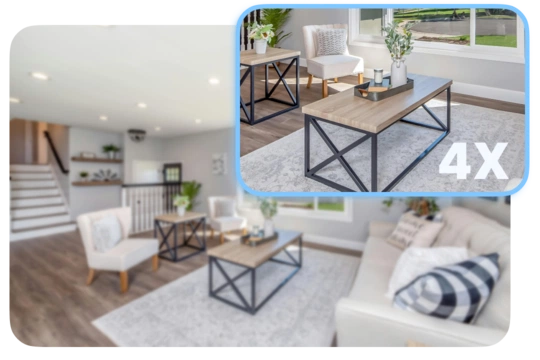
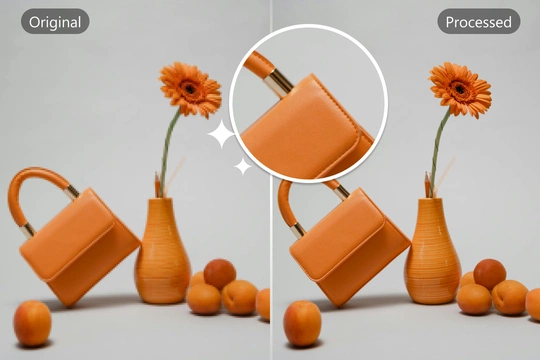
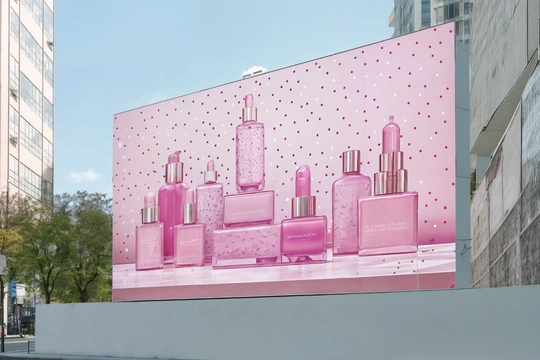
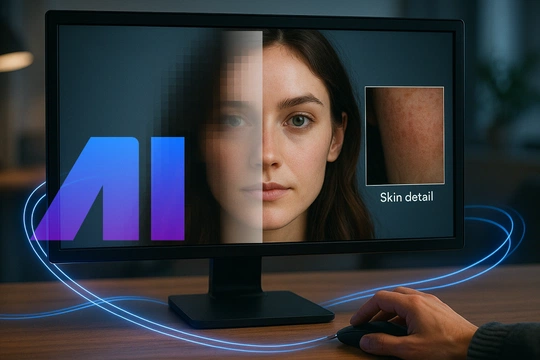
Nero AI Image Upscaler Online is an AI-powered service that can enlarge image size and resolution while maintaining high quality.
AI Image Upscaler works best on small images and photos by reducing noise and sharpening the details.
Nero AI Image Upscaler employs cutting-edge image super-resolution technology based on deep convolutional neural networks.
Our neural network has been trained on a massive dataset of training images. In particular, we trained the software on upscaling images and learning typical features of physical objects such as bricks of walls, hair, and skin using millions of low-resolution and high-resolution image pairs.
After recognizing those features on the images, the network will improve those details based on its general knowledge of the world.
To sharpen and convert your image to high definition:
1. Upload it to https://ai.nero.com/image-upscaler.
2. Select your upscale styles, such as Face Enhancement, Anime, Photograph, Standard or Reconstruct.
3. To begin your AI experience, click the Start button.
Your 4K image will be ready in a few moments and the download will start.
Consumers can upscale images up to 268 megapixels, e.g., a resulting image at 16000 x 16000 pixels with a 1:1 aspect ratio.
Need a larger output? Just request a larger output by letting us know what you need it for.
The system works best with raw images that haven't been enlarged or pixelated by any other software. Also, I recommend that you use all of your favorite AI-generated images, such as Dall-E, Craiyon, Stable Diffusion, Mid journey, and other ai image models, as the results will be surprising. It's simple to create a 4K wallpaper for any anime image.
Our current focus is on scaling physical content with sharp corners, such as digital illustrations, images with sharp borders, and contrasting textures (such as watches).
Yes, we automatically remove JPEG noise (also known as compression artifacts), if we detect an image with a .jpg or .jpeg extension.
Unfortunately, it is not possible to use this function unlimitedly. So we provide every account with 10 Nero Credits as new user benefit.
If you have reached the free limit, please choose a paid option to continue.
We offer AI Photo Enhancer & Upscaler - Nero Lens to mobile users. You can find your version above or at lens.nero.com.
Be part of our Club: The free Nero newsletter informs you about the latest Nero products and exclusive offers.
'%20fill='%23FDB03B'/%3e%3c/svg%3e)