'%3e%3cpath%20id='&%23232;&%23129;&%23148;&%23229;&%23144;&%23136;%201'%20d='M42.3535%2036V0H54V36H42.3535ZM25.86%2036C25.7847%2035.9993%2025.7128%2035.9689%2025.6598%2035.9154C25.6069%2035.8618%2025.5773%2035.7895%2025.5775%2035.7142V16.688C25.4952%2016.8247%2025.456%2016.8822%2025.42%2016.9487C22.156%2023.0025%2018.9417%2029.1173%2015.1427%2036H0C0%2036%2021.1467%200%2021.3585%200L35.5915%200.00575C36.2649%200.00938759%2036.9093%200.280274%2037.3831%200.758865C37.8569%201.23746%2038.1212%201.88458%2038.118%202.558V35.7142C38.1182%2035.7515%2038.1111%2035.7885%2038.0971%2035.8231C38.083%2035.8576%2038.0623%2035.889%2038.0361%2035.9156C38.0098%2035.9421%2037.9787%2035.9632%2037.9443%2035.9777C37.9099%2035.9922%2037.873%2035.9998%2037.8358%2036H25.86Z'%20fill='url(%23paint0_linear_212_448)'/%3e%3c/g%3e%3cdefs%3e%3clinearGradient%20id='paint0_linear_212_448'%20x1='27'%20y1='0'%20x2='27'%20y2='36'%20gradientUnits='userSpaceOnUse'%3e%3cstop%20stop-color='%230469FF'/%3e%3cstop%20offset='1'%20stop-color='%236004A9'/%3e%3c/linearGradient%3e%3cclipPath%20id='clip0_212_448'%3e%3crect%20width='54'%20height='36'%20fill='white'/%3e%3c/clipPath%3e%3c/defs%3e%3c/svg%3e)


'/%3e%3cpath%20d='M9.20607%2011.18H8.22507L5.36907%206.84001V11.19H4.38007V5.00001H5.37007L8.23407%209.35001V5.00001H9.21507L9.20607%2011.18ZM14.7511%206.00001H11.6581V7.49001H14.4581V8.49001H11.6581V10.1H14.7501V11.1H10.6691V5.00001H14.7421L14.7511%206.00001ZM22.0121%2011.16H21.0221L19.6641%206.56701L18.3061%2011.177H17.3251L15.5731%204.99701H16.6421L17.8001%209.43001L19.1311%205.00001H20.2001L21.4791%209.43001L22.6441%205.00001H23.7201L22.0121%2011.16Z'%20fill='white'/%3e%3cdefs%3e%3clinearGradient%20id='paint0_linear_335_20214'%20x1='0'%20y1='0'%20x2='13.2875'%20y2='24.913'%20gradientUnits='userSpaceOnUse'%3e%3cstop%20stop-color='%231774FE'/%3e%3cstop%20offset='1'%20stop-color='%238F06FB'/%3e%3c/linearGradient%3e%3c/defs%3e%3c/svg%3e)


'/%3e%3cpath%20d='M11.5554%206.5C7.43038%206.5%206.30538%2019.625%2010.8054%2021.125C11.5554%2021.5%2012.6804%2021.125%2013.4304%2020.375C16.4304%2017%2015.3054%206.5%2011.5554%206.5Z'%20fill='url(%23paint1_linear_19170_4601)'/%3e%3cpath%20d='M3.68066%2010.25C4.05566%208.75%204.80566%208%205.93066%208'%20stroke='%23B397F5'%20stroke-opacity='0.65'%20stroke-width='0.9375'%20stroke-linecap='round'/%3e%3cpath%20d='M6%2010.2363C6%209.69223%206.59358%209.35615%207.06015%209.63609L9.4474%2011.0684C9.99604%2011.3976%209.85193%2012.2296%209.22454%2012.3551L6.83728%2012.8325C6.40413%2012.9192%206%2012.5879%206%2012.1461V10.2363Z'%20fill='url(%23paint2_linear_19170_4601)'%20stroke='%23502477'%20stroke-width='0.5'%20stroke-linejoin='round'/%3e%3cpath%20d='M17%2010.2363C17%209.69223%2016.4064%209.35615%2015.9399%209.63609L13.5526%2011.0684C13.004%2011.3976%2013.1481%2012.2296%2013.7755%2012.3551L16.1627%2012.8325C16.5959%2012.9192%2017%2012.5879%2017%2012.1461V10.2363Z'%20fill='url(%23paint3_linear_19170_4601)'%20stroke='%23502477'%20stroke-width='0.5'%20stroke-linejoin='round'/%3e%3cpath%20d='M4%2014L7.15789%2015.1538L7.94737%2014L9.92105%2015.5385H13.0789L15.0526%2014L15.8421%2015.1538L19%2014C17.8158%2017.8462%2015.0526%2019%2011.5%2019C7.94737%2019%205.18421%2017.8462%204%2014Z'%20fill='url(%23paint4_radial_19170_4601)'%20stroke='%23451B6A'%20stroke-width='0.525'%20stroke-linejoin='round'/%3e%3cdefs%3e%3clinearGradient%20id='paint0_linear_19170_4601'%20x1='6.68088'%20y1='5.74983'%20x2='16.8059'%20y2='21.4998'%20gradientUnits='userSpaceOnUse'%3e%3cstop%20stop-color='%23936BF1'/%3e%3cstop%20offset='0.5'%20stop-color='%236A4BDA'/%3e%3cstop%20offset='1'%20stop-color='%234A2E9F'/%3e%3c/linearGradient%3e%3clinearGradient%20id='paint1_linear_19170_4601'%20x1='9.68038'%20y1='6.875'%20x2='14.1804'%20y2='21.125'%20gradientUnits='userSpaceOnUse'%3e%3cstop%20stop-color='%23B998FF'/%3e%3cstop%20offset='1'%20stop-color='%235235AE'/%3e%3c/linearGradient%3e%3clinearGradient%20id='paint2_linear_19170_4601'%20x1='8.42424'%20y1='7'%20x2='8.42424'%20y2='12.3333'%20gradientUnits='userSpaceOnUse'%3e%3cstop%20stop-color='%23C7921D'/%3e%3cstop%20offset='1'%20stop-color='%23F0CF11'/%3e%3c/linearGradient%3e%3clinearGradient%20id='paint3_linear_19170_4601'%20x1='14.4242'%20y1='7'%20x2='14.4242'%20y2='12.3333'%20gradientUnits='userSpaceOnUse'%3e%3cstop%20stop-color='%23C7921D'/%3e%3cstop%20offset='1'%20stop-color='%23F0CF11'/%3e%3c/linearGradient%3e%3cradialGradient%20id='paint4_radial_19170_4601'%20cx='0'%20cy='0'%20r='1'%20gradientUnits='userSpaceOnUse'%20gradientTransform='translate(11.4414%2019.1282)%20rotate(-90)%20scale(10.2564%2010.5263)'%3e%3cstop%20stop-color='%23FFE600'/%3e%3cstop%20offset='1'%20stop-color='%23DBB51D'/%3e%3c/radialGradient%3e%3c/defs%3e%3c/svg%3e)




🤩Never miss an offer again!
Be part of our Club: The free Nero newsletter informs you about the latest Nero products and exclusive offers.
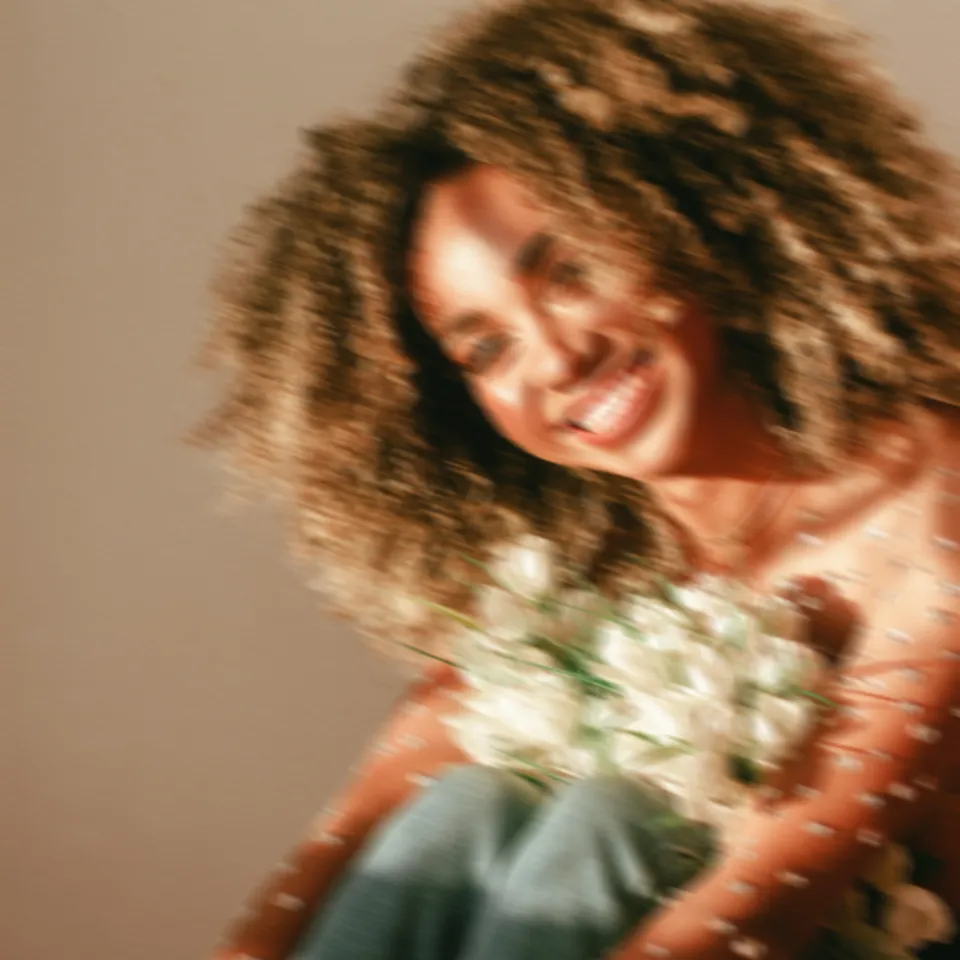
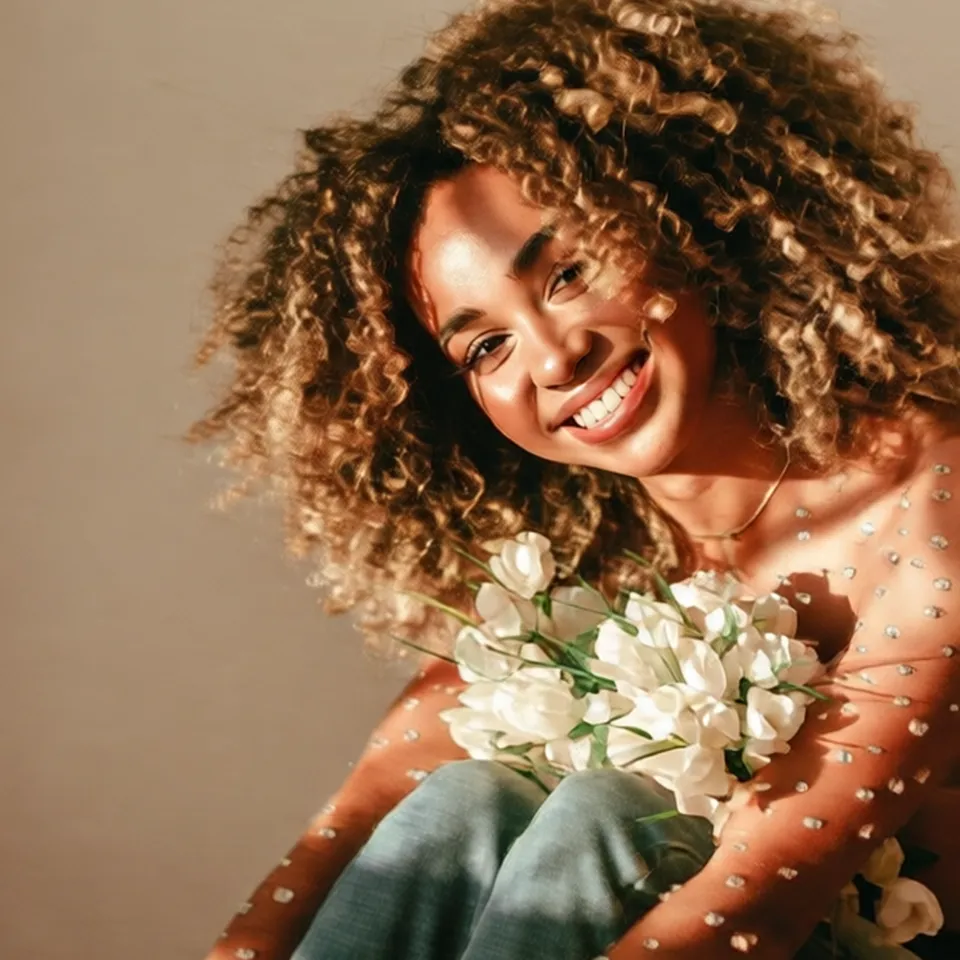
One click to turn motion-blurred or out-of-focus shots into crisp, professional photos.
Unblur Images Online for Free via AI
One click to turn motion-blurred or out-of-focus shots into crisp, professional photos.
Drag & drop to upload your images
No image on hand?
Try one of these


Or use our Image Unblur App locally on your devices.





'/%3e%3cdefs%3e%3clinearGradient%20id='paint0_linear_239_205'%20x1='32.1059'%20y1='15.9995'%20x2='32.1059'%20y2='47.1635'%20gradientUnits='userSpaceOnUse'%3e%3cstop%20stop-color='%230086FF'/%3e%3cstop%20offset='1'%20stop-color='%23740B96'/%3e%3c/linearGradient%3e%3c/defs%3e%3c/svg%3e)
Processed total

Processed in last 24h
'/%3e%3cdefs%3e%3clinearGradient%20id='paint0_linear_239_222'%20x1='7'%20y1='35'%20x2='60'%20y2='35'%20gradientUnits='userSpaceOnUse'%3e%3cstop%20stop-color='%230086FF'/%3e%3cstop%20offset='1'%20stop-color='%23740B96'/%3e%3c/linearGradient%3e%3c/defs%3e%3c/svg%3e)
Average processing time

Users in last 24h


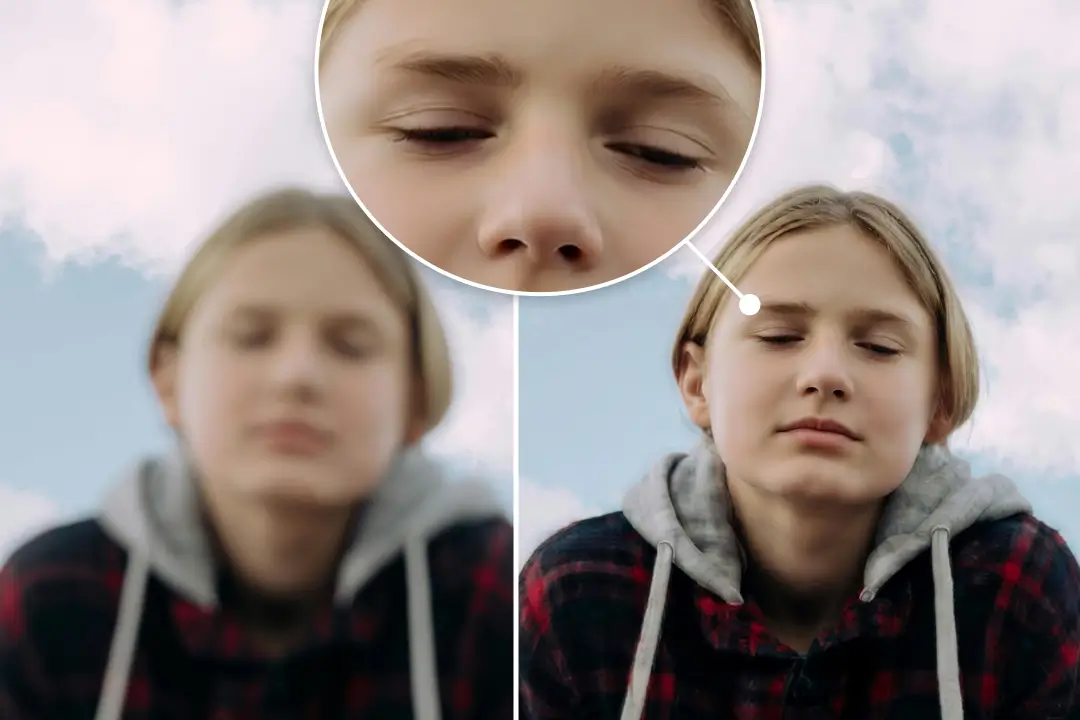
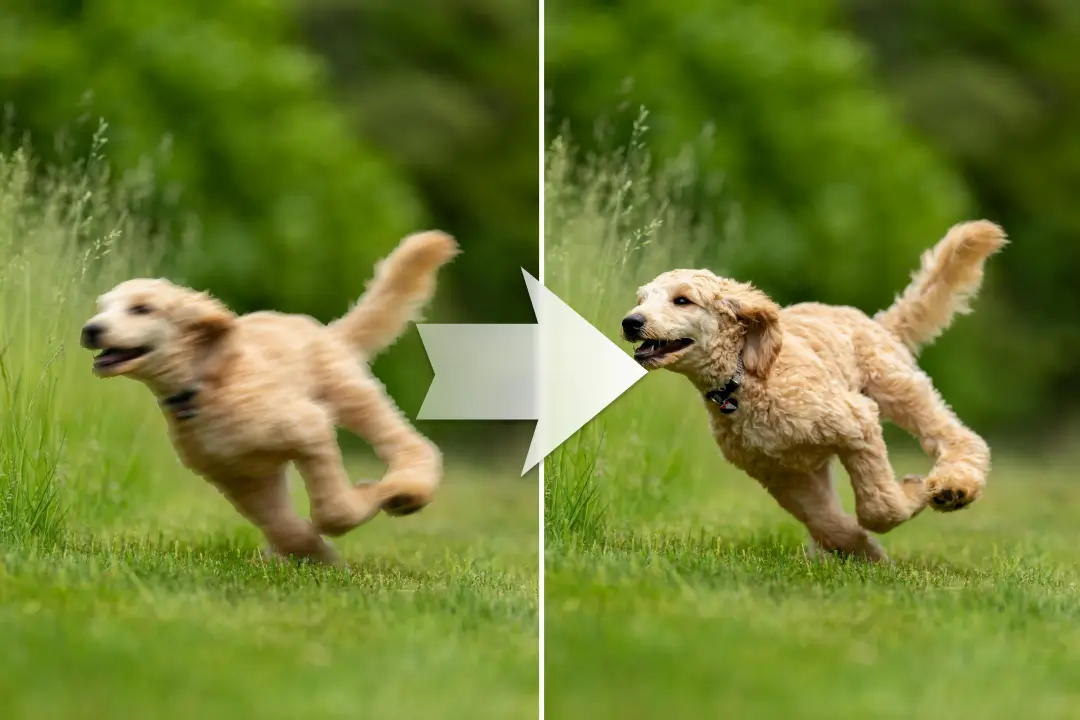
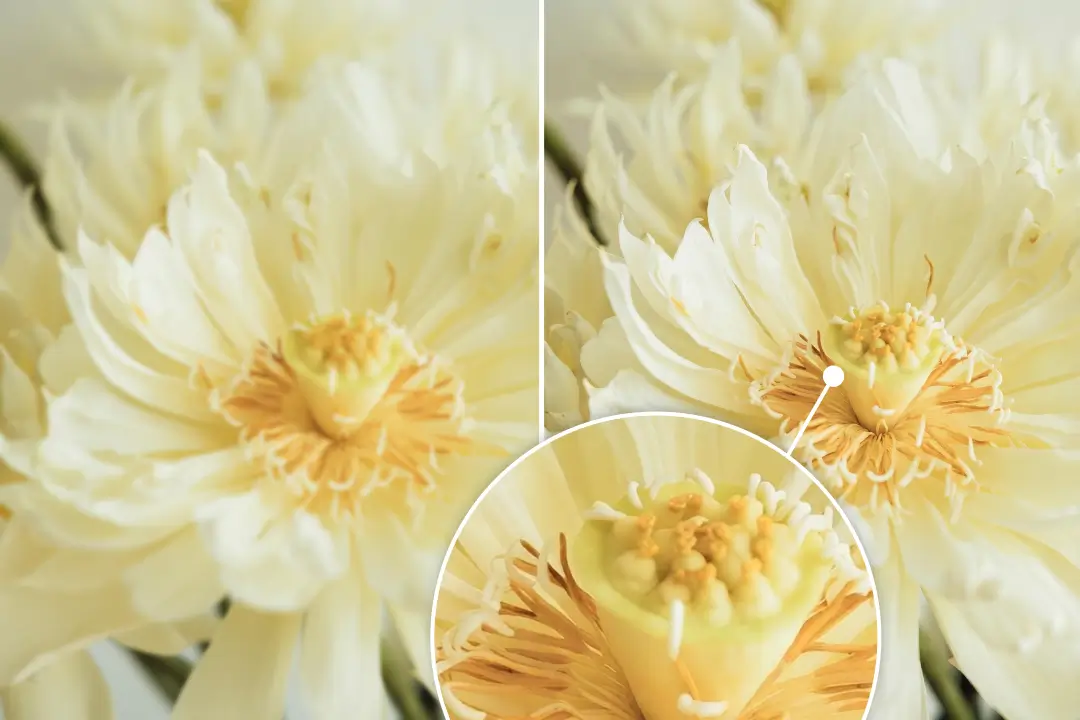
Nero AI Image Unblur is a professional-grade web tool designed to rescue and restore blurry or shaky photos instantly. Powered by advanced deep-learning algorithms, it doesn't just "mask" blur; it reverses the distortion caused by motion, camera shake, or missed focus. Whether you are a photographer fixing a rare shot or a casual user saving a precious memory, Nero AI provides a one-click solution to turn soft, hazy images into sharp, high-definition masterpieces.
Our AI performs best on photos with clear subjects but technical flaws. Specifically:
Traditional sharpening only increases edge contrast, which can often look artificial. AI Unblur is a sophisticated mathematical reconstruction. It analyzes the "blur path" caused by motion or lens focus and physically re-aligns scattered pixels to their original positions. It’s the difference between merely darkening a line and actually restoring it.
While AI cannot turn a handful of pixels into a 4K masterpiece, it excels as long as some structural outlines remain. Our engine uses deep learning to predict and "fill in" lost details based on millions of high-definition references. It is highly effective for common real-world issues like camera shake, motion blur, and missed focus.
Here's how to use Nero AI Image Unblur:
We offer 10 free trial Nero Credits for new users. Image processing requires Credits, and for this page, each processing consumes 4 Credit.
After you have used up your free Credits, you can refill here.
Be part of our Club: The free Nero newsletter informs you about the latest Nero products and exclusive offers.
'%20fill='%23FDB03B'/%3e%3c/svg%3e)