'%3e%3cpath%20id='&%23232;&%23129;&%23148;&%23229;&%23144;&%23136;%201'%20d='M42.3535%2036V0H54V36H42.3535ZM25.86%2036C25.7847%2035.9993%2025.7128%2035.9689%2025.6598%2035.9154C25.6069%2035.8618%2025.5773%2035.7895%2025.5775%2035.7142V16.688C25.4952%2016.8247%2025.456%2016.8822%2025.42%2016.9487C22.156%2023.0025%2018.9417%2029.1173%2015.1427%2036H0C0%2036%2021.1467%200%2021.3585%200L35.5915%200.00575C36.2649%200.00938759%2036.9093%200.280274%2037.3831%200.758865C37.8569%201.23746%2038.1212%201.88458%2038.118%202.558V35.7142C38.1182%2035.7515%2038.1111%2035.7885%2038.0971%2035.8231C38.083%2035.8576%2038.0623%2035.889%2038.0361%2035.9156C38.0098%2035.9421%2037.9787%2035.9632%2037.9443%2035.9777C37.9099%2035.9922%2037.873%2035.9998%2037.8358%2036H25.86Z'%20fill='url(%23paint0_linear_212_448)'/%3e%3c/g%3e%3cdefs%3e%3clinearGradient%20id='paint0_linear_212_448'%20x1='27'%20y1='0'%20x2='27'%20y2='36'%20gradientUnits='userSpaceOnUse'%3e%3cstop%20stop-color='%230469FF'/%3e%3cstop%20offset='1'%20stop-color='%236004A9'/%3e%3c/linearGradient%3e%3cclipPath%20id='clip0_212_448'%3e%3crect%20width='54'%20height='36'%20fill='white'/%3e%3c/clipPath%3e%3c/defs%3e%3c/svg%3e)


'/%3e%3cpath%20d='M9.20607%2011.18H8.22507L5.36907%206.84001V11.19H4.38007V5.00001H5.37007L8.23407%209.35001V5.00001H9.21507L9.20607%2011.18ZM14.7511%206.00001H11.6581V7.49001H14.4581V8.49001H11.6581V10.1H14.7501V11.1H10.6691V5.00001H14.7421L14.7511%206.00001ZM22.0121%2011.16H21.0221L19.6641%206.56701L18.3061%2011.177H17.3251L15.5731%204.99701H16.6421L17.8001%209.43001L19.1311%205.00001H20.2001L21.4791%209.43001L22.6441%205.00001H23.7201L22.0121%2011.16Z'%20fill='white'/%3e%3cdefs%3e%3clinearGradient%20id='paint0_linear_335_20214'%20x1='0'%20y1='0'%20x2='13.2875'%20y2='24.913'%20gradientUnits='userSpaceOnUse'%3e%3cstop%20stop-color='%231774FE'/%3e%3cstop%20offset='1'%20stop-color='%238F06FB'/%3e%3c/linearGradient%3e%3c/defs%3e%3c/svg%3e)


'/%3e%3cpath%20d='M11.5554%206.5C7.43038%206.5%206.30538%2019.625%2010.8054%2021.125C11.5554%2021.5%2012.6804%2021.125%2013.4304%2020.375C16.4304%2017%2015.3054%206.5%2011.5554%206.5Z'%20fill='url(%23paint1_linear_19170_4601)'/%3e%3cpath%20d='M3.68066%2010.25C4.05566%208.75%204.80566%208%205.93066%208'%20stroke='%23B397F5'%20stroke-opacity='0.65'%20stroke-width='0.9375'%20stroke-linecap='round'/%3e%3cpath%20d='M6%2010.2363C6%209.69223%206.59358%209.35615%207.06015%209.63609L9.4474%2011.0684C9.99604%2011.3976%209.85193%2012.2296%209.22454%2012.3551L6.83728%2012.8325C6.40413%2012.9192%206%2012.5879%206%2012.1461V10.2363Z'%20fill='url(%23paint2_linear_19170_4601)'%20stroke='%23502477'%20stroke-width='0.5'%20stroke-linejoin='round'/%3e%3cpath%20d='M17%2010.2363C17%209.69223%2016.4064%209.35615%2015.9399%209.63609L13.5526%2011.0684C13.004%2011.3976%2013.1481%2012.2296%2013.7755%2012.3551L16.1627%2012.8325C16.5959%2012.9192%2017%2012.5879%2017%2012.1461V10.2363Z'%20fill='url(%23paint3_linear_19170_4601)'%20stroke='%23502477'%20stroke-width='0.5'%20stroke-linejoin='round'/%3e%3cpath%20d='M4%2014L7.15789%2015.1538L7.94737%2014L9.92105%2015.5385H13.0789L15.0526%2014L15.8421%2015.1538L19%2014C17.8158%2017.8462%2015.0526%2019%2011.5%2019C7.94737%2019%205.18421%2017.8462%204%2014Z'%20fill='url(%23paint4_radial_19170_4601)'%20stroke='%23451B6A'%20stroke-width='0.525'%20stroke-linejoin='round'/%3e%3cdefs%3e%3clinearGradient%20id='paint0_linear_19170_4601'%20x1='6.68088'%20y1='5.74983'%20x2='16.8059'%20y2='21.4998'%20gradientUnits='userSpaceOnUse'%3e%3cstop%20stop-color='%23936BF1'/%3e%3cstop%20offset='0.5'%20stop-color='%236A4BDA'/%3e%3cstop%20offset='1'%20stop-color='%234A2E9F'/%3e%3c/linearGradient%3e%3clinearGradient%20id='paint1_linear_19170_4601'%20x1='9.68038'%20y1='6.875'%20x2='14.1804'%20y2='21.125'%20gradientUnits='userSpaceOnUse'%3e%3cstop%20stop-color='%23B998FF'/%3e%3cstop%20offset='1'%20stop-color='%235235AE'/%3e%3c/linearGradient%3e%3clinearGradient%20id='paint2_linear_19170_4601'%20x1='8.42424'%20y1='7'%20x2='8.42424'%20y2='12.3333'%20gradientUnits='userSpaceOnUse'%3e%3cstop%20stop-color='%23C7921D'/%3e%3cstop%20offset='1'%20stop-color='%23F0CF11'/%3e%3c/linearGradient%3e%3clinearGradient%20id='paint3_linear_19170_4601'%20x1='14.4242'%20y1='7'%20x2='14.4242'%20y2='12.3333'%20gradientUnits='userSpaceOnUse'%3e%3cstop%20stop-color='%23C7921D'/%3e%3cstop%20offset='1'%20stop-color='%23F0CF11'/%3e%3c/linearGradient%3e%3cradialGradient%20id='paint4_radial_19170_4601'%20cx='0'%20cy='0'%20r='1'%20gradientUnits='userSpaceOnUse'%20gradientTransform='translate(11.4414%2019.1282)%20rotate(-90)%20scale(10.2564%2010.5263)'%3e%3cstop%20stop-color='%23FFE600'/%3e%3cstop%20offset='1'%20stop-color='%23DBB51D'/%3e%3c/radialGradient%3e%3c/defs%3e%3c/svg%3e)





🤩Never miss an offer again!
Be part of our Club: The free Nero newsletter informs you about the latest Nero products and exclusive offers.
Upload your image and let our free online image enhancer automatically improve clarity, textures, and resolution in seconds.
Free AI Image Enhancer Online – Enhance Image Quality Instantly
Upload your image and let our free online image enhancer automatically improve clarity, textures, and resolution in seconds.
Drag & drop to upload your images
No image on hand?
Try one of these

Or use our Image Enhancer App locally on your devices.





'/%3e%3cdefs%3e%3clinearGradient%20id='paint0_linear_239_205'%20x1='32.1059'%20y1='15.9995'%20x2='32.1059'%20y2='47.1635'%20gradientUnits='userSpaceOnUse'%3e%3cstop%20stop-color='%230086FF'/%3e%3cstop%20offset='1'%20stop-color='%23740B96'/%3e%3c/linearGradient%3e%3c/defs%3e%3c/svg%3e)
Processed total

Processed in last 24h
'/%3e%3cdefs%3e%3clinearGradient%20id='paint0_linear_239_222'%20x1='7'%20y1='35'%20x2='60'%20y2='35'%20gradientUnits='userSpaceOnUse'%3e%3cstop%20stop-color='%230086FF'/%3e%3cstop%20offset='1'%20stop-color='%23740B96'/%3e%3c/linearGradient%3e%3c/defs%3e%3c/svg%3e)
Average processing time

Users in last 24h


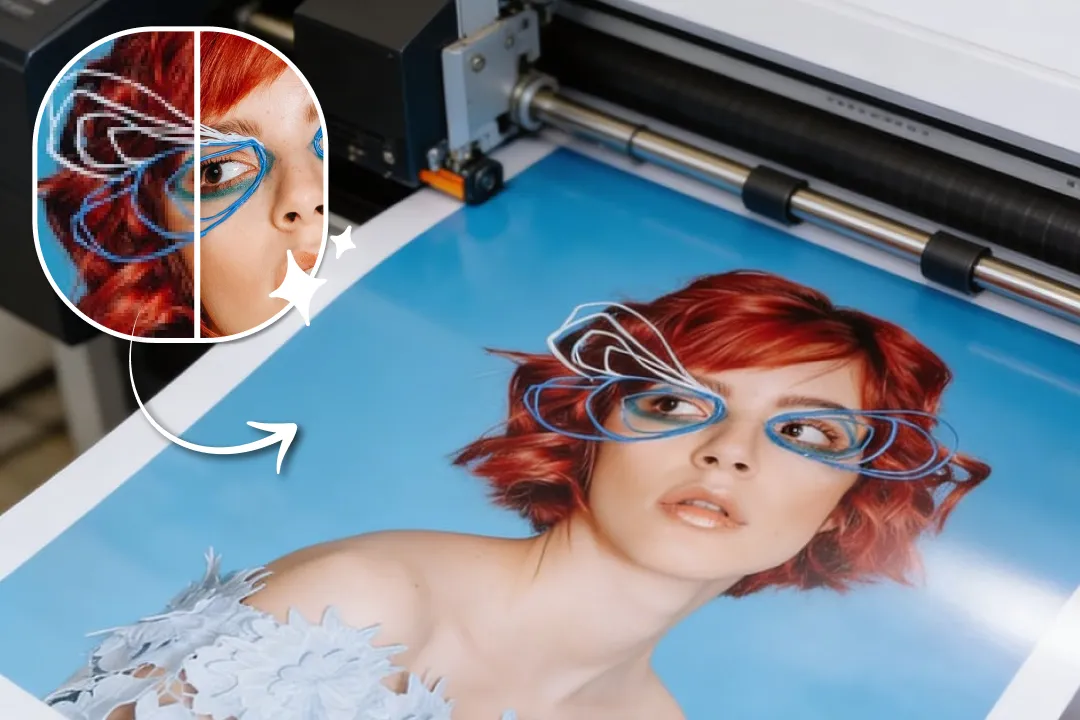
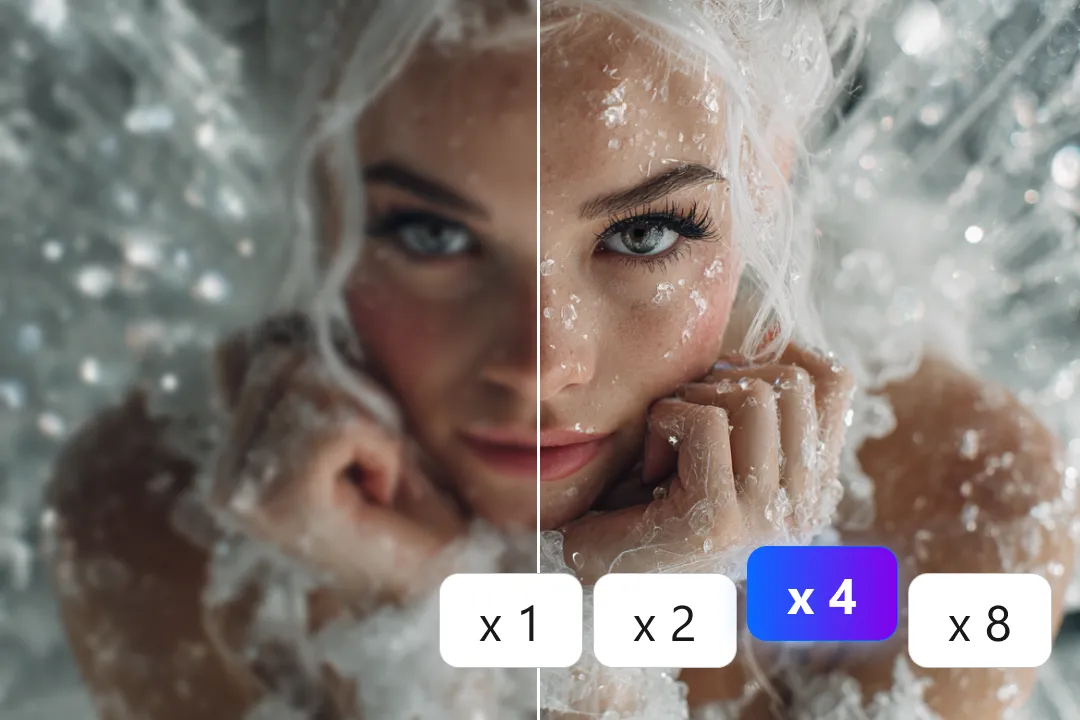
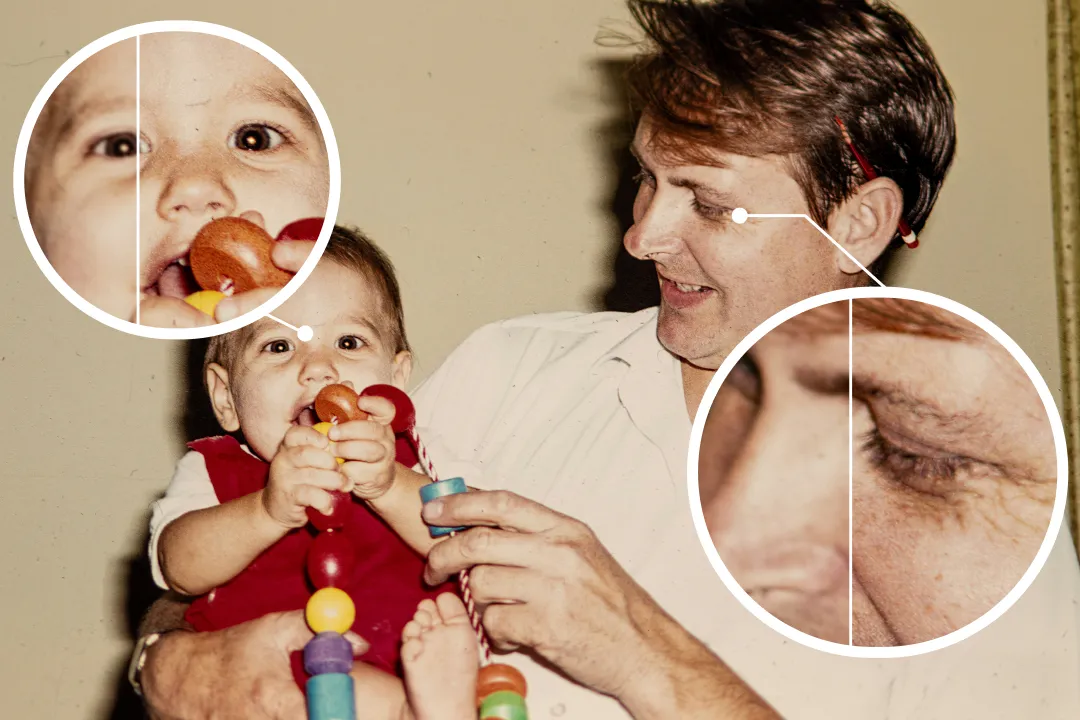
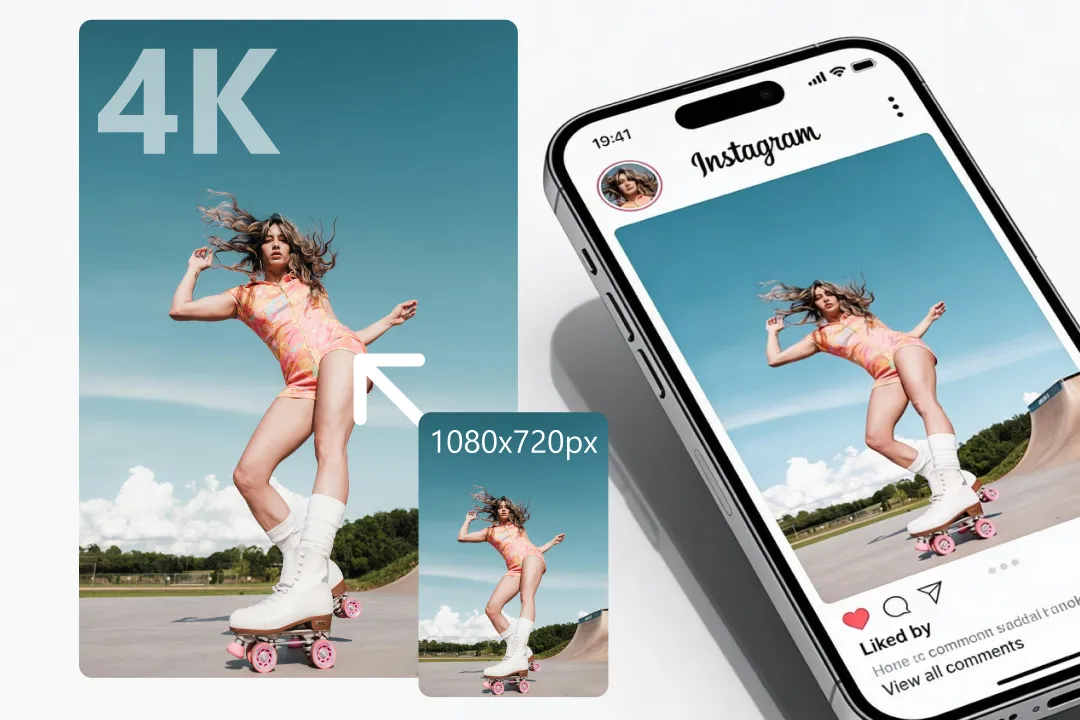
Nero AI Image Enhancer is a tool that automatically improves the quality of photos using artificial intelligence. It analyzes details such as edges, colors, lighting, and textures to sharpen images, reduce noise, and enhance clarity. This allows low-resolution or blurry photos to become sharper and more visually appealing.
You can enhance a wide variety of images, including:
Most tools support formats like JPG, JPEG, PNG, BMP, WEBP, JFIF, JFI, JPE, JIF, ICO, AVIF, making them easy to use for everyday workflows.
Our supports a wide range of common image formats, including:
JPG, JPEG, PNG, BMP, WEBP, JFIF, JFI, JPE, JIF, ICO, AVIFThis allows you to enhance images from different sources such as smartphones, websites, design tools, or AI-generated images without needing to convert the file format first.
For the best enhancement results, we recommend avoiding extremely high-resolution images (such as 4K or higher) as original inputs.
Nero AI Image Enhancer are widely used in many industries, including:
High-quality visuals help businesses create more engaging content and professional-looking materials.
Image enhancement may consume between 1 and 16 Credits per image, depending on the selected AI model.
For most standard images, the enhancement process typically uses around 2 Credits.
However, very blurry images or photos containing human faces may require more advanced processing, which can result in higher Credit consumption.
In certain cases, your original image may already have a high resolution.
After enhancement or upscaling, the output file can become extremely large, which may exceed the preview capability of some web browsers.
If preview is not available, we recommend downloading the enhanced image and viewing it locally for the best experience.
We take data security seriously.
Images uploaded to Nero AI are not used for AI model training and are not retained for any unrelated purposes.
We actively protect your design assets and processing data.
Our services are developed in compliance with GDPR data protection standards.
Be part of our Club: The free Nero newsletter informs you about the latest Nero products and exclusive offers.
'%20fill='%23FDB03B'/%3e%3c/svg%3e)