
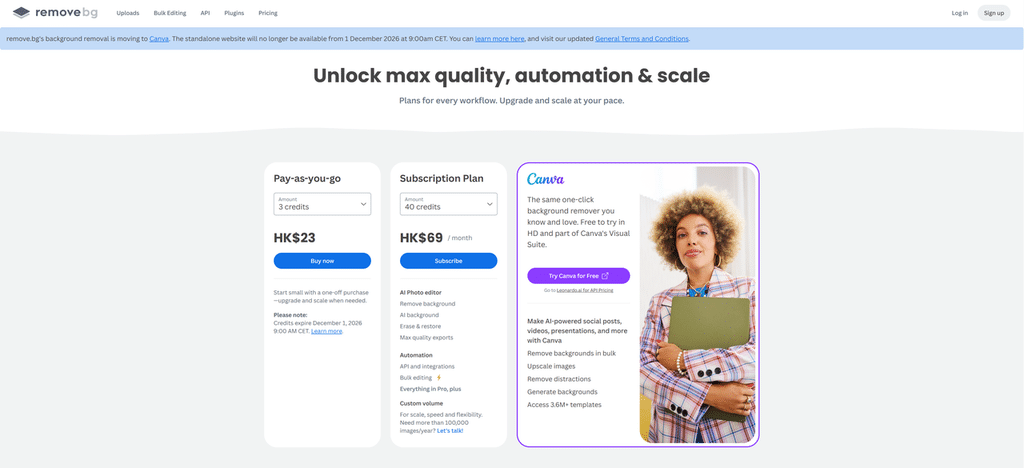
Remove.bg has announced that its background removal capability is moving to Canva, and that the standalone remove.bg website will no longer be available from December 1, 2026, at 9:00 AM CET. If you use remove.bg for fast image cutouts, this is a good time to understand what is changing and decide which background-removal workflow fits your work next.
According to the remove.bg pricing page, credits also expire at the same date and time. Check your remaining credits and the tools your workflow depends on before the transition date; the remove.bg FAQ provides the official transition overview.
What Is Changing With Remove.bg?
The important distinction is that remove.bg is changing where users access its background-removal service. The standalone site is being retired, while the underlying background-removal functionality is moving into Canva.
Remove.bg says that this functionality will sit alongside Canva’s wider editing and design tools. For people who want to remove a background and then continue with layouts, templates, presentations, or social content, that integrated path may be a natural fit.
The credit-expiry notice does not specify how every subscription or enterprise arrangement will be handled, so check your account details if those apply to you.
Do You Have to Use Canva?
No. Canva is the official destination for remove.bg’s background-removal feature, but it is not the only workflow you can evaluate. The better choice depends on what you need to do after the background is gone.
If you want to remove a background and then create a design, add text, work from a template, build a presentation, or prepare a social post, Canva offers an integrated environment. Its Background Remover is part of a broader editing workflow, so the cutout can become one step in a larger creative task.
If, instead, your goal is to upload an image, create a background-removed image, download the result, or replace the background as a focused image-editing task, a dedicated background remover may be a better workflow to assess. That route can make sense for product catalogs, marketplace listings, client assets, headshots, or any recurring image task where background removal is the main job rather than the start of a full design project.
The right choice depends less on the tool you used before and more on what needs to happen next. Canva is a sensible option when design work follows immediately. A dedicated tool is worth considering when the main outcome is a usable image file.
What to Look for in a Remove.bg Alternative
A useful remove.bg alternative is not simply the tool with the longest feature list. It is the one that produces usable results for your real images and works at the pace and scale your workflow requires.
| What to check | Why it matters |
| Output quality | Test the types of images you actually work with, including product photos, portraits, fine edges, reflective objects, and complex backgrounds. |
| Batch workflow | Important if you repeatedly process product catalogs, marketplace listings, or other large image sets. |
| API or automation | Relevant when your workflow depends on integrations, scripts, or automated processing. |
| Pricing | Compare pricing against your expected ongoing usage and review any remaining remove.bg credits before the transition. |
Start with output quality. A sample image can look good in almost any demo, but the images that matter are the ones you need to publish or deliver. Test photos with the subject types and edge cases that appear in your work, such as glass, metal, fabric, fine details, uneven lighting, or busy backgrounds.
Then consider how often the task repeats. Someone preparing a single presentation image has different needs from a team processing a large set of SKU photos every week. Batch features, file handling, and the number of steps needed to reach a finished image can affect the practical fit of a tool.
A Dedicated Workflow Option: Nero AI Background Remover
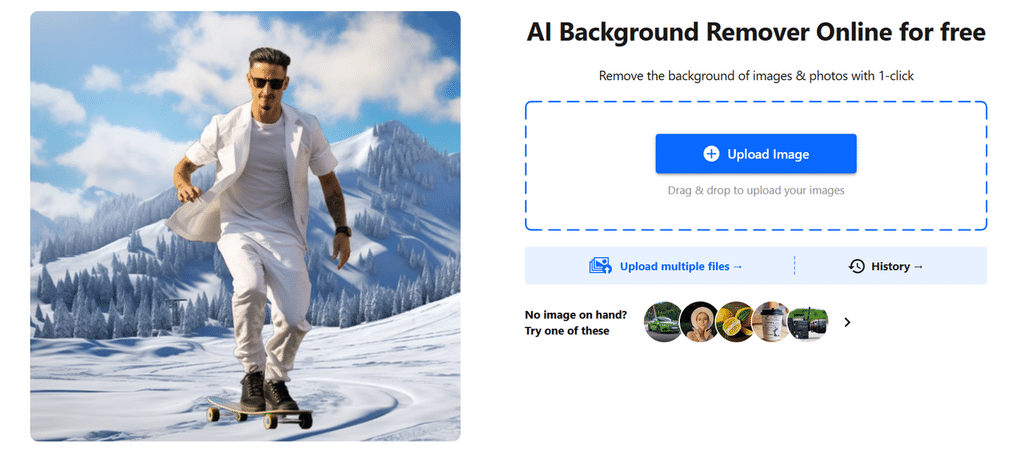
For users who decide that a focused background-removal workflow is the better fit, Nero AI Background Remover is a dedicated option to test. The workflow follows a direct path: upload an image, remove the background, preview and download the result, and replace the background when needed.
This can suit people who need a transparent product image for a storefront, a portrait for a profile, or a background-removed image to use in another tool later. When the final image needs a new scene or backdrop, you can use the Nero AI Background Changer.
As with any AI background-removal tool, results can vary by image. Before relying on a new workflow for production work, test representative photos from your own projects and confirm that the result, download options, and processing flow meet your requirements.
If You Use the Remove.bg API, Your Path Is Different
If you use remove.bg through its API, your transition is different from the web-user path. Remove.bg directs API users to Leonardo.Ai from December 1, 2026. The migration involves changes to authentication, request and response formats, and storage behavior—not just a new endpoint.
This article is intended for ordinary web users, so it does not cover implementation details. Before making production changes, review Leonardo.Ai’s official remove.bg migration documentation and assess the implications for your application, automation, and image-handling requirements.
With the remove.bg transition approaching, the practical next step is to test the workflow you plan to use after December 1, 2026. If you need a focused path from image upload to a background-removed image, downloadable result, or replacement background, try Nero AI Background Remover with a small set of images from your real projects. That gives you a concrete basis for deciding whether it fits the way you work.